Role
Mobile App Designer
Timeline
4 weeks
Tools
FIGMA, miro

Making the campus coffee run mobile-first
A mobile ordering flow that cuts the café line for students between classes.


Making UChicago's coffee experience convenient.
the problem
Campus cafe lines eat the short breaks between classes, so busy students skip coffee and cafes lose customers.what I did
Designed a mobile ordering app for UChicago cafes, from interviews and competitor research to a full prototype.built
A clickable prototype, recently updated to iOS 26 liquid glass.
Problem - The Line Eats Your Break
This one started with my own between-class coffee runs, waiting in lines an online order could have skipped. When ordering isn't online, busy students skip coffee, and cafes end up with fewer customers and more wasted product.
Research - Both Sides of the Counter
I did field observations and interviewed UChicago students and part-time baristas. The baristas widened the problem: during a rush, the same person takes orders by hand and makes the drinks, so Phoenix had to work for both sides of the counter.
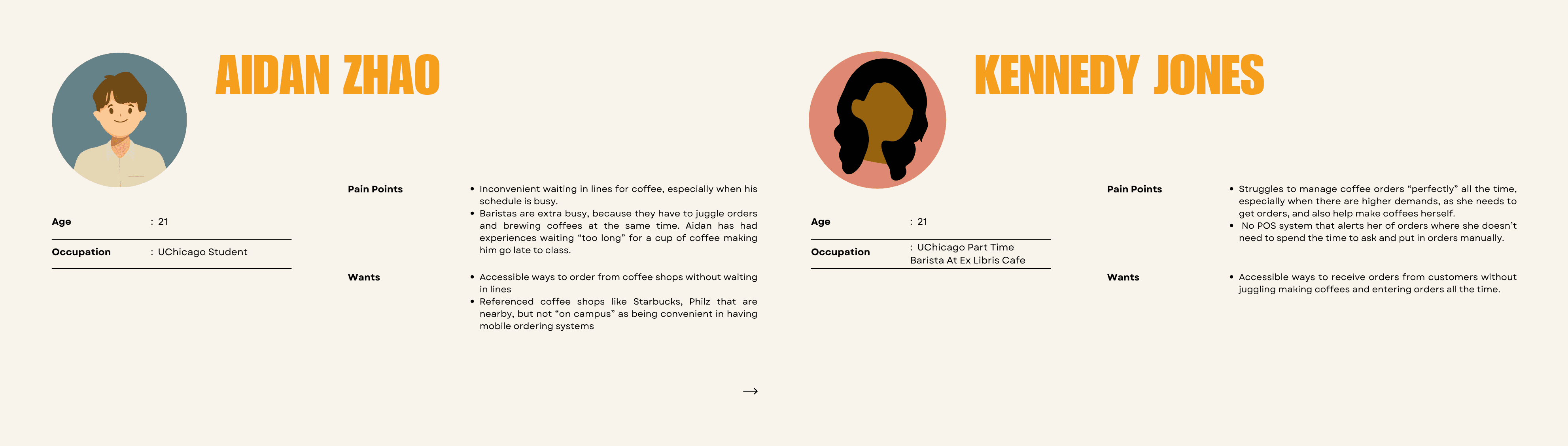
kennedy is a part-time barista. the person making the coffee mattered as much as the person ordering it.
Competitors - Philz and Starbucks
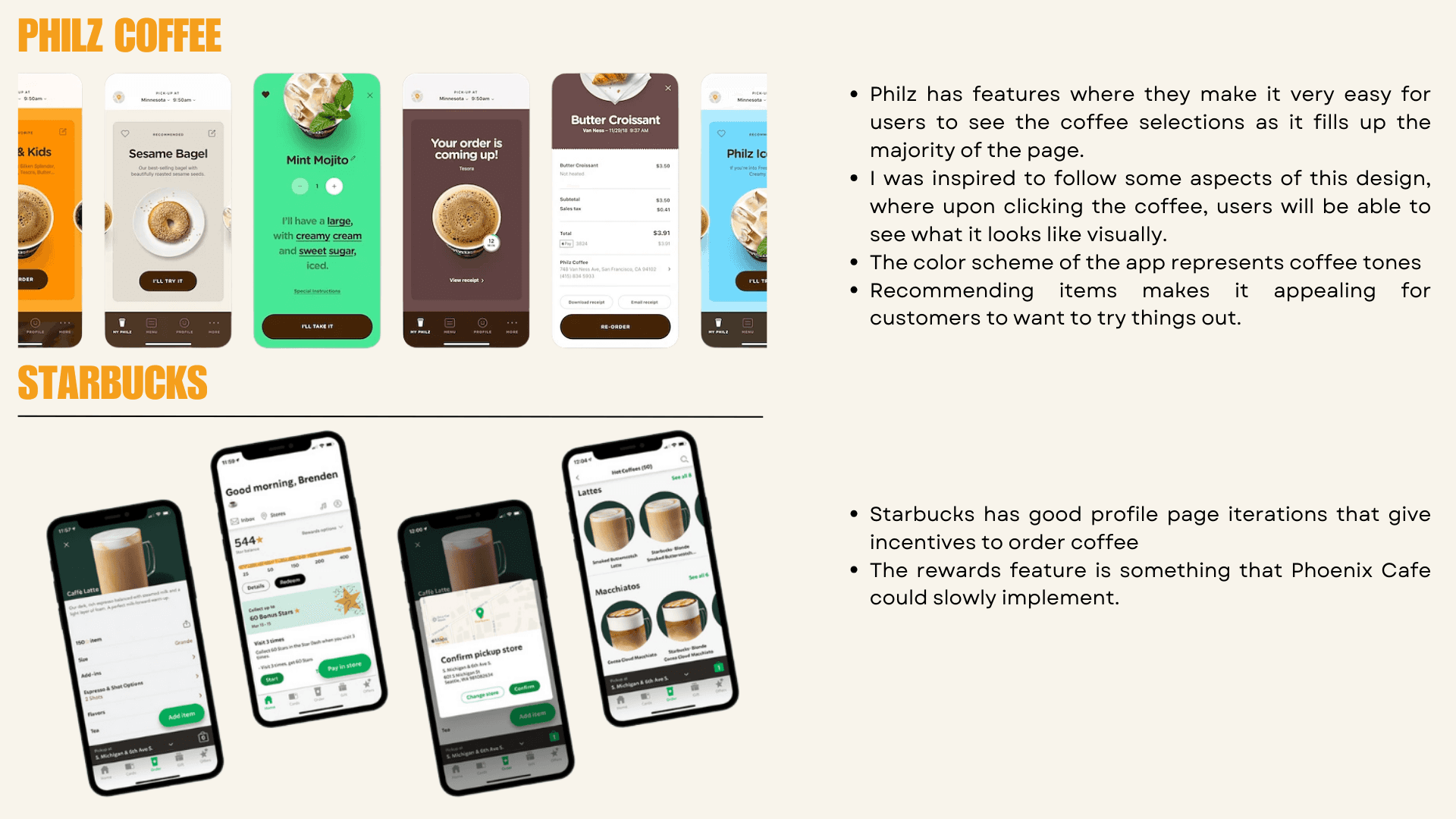
I studied the coffee apps students already use. Philz lets the coffee fill the screen, and Starbucks keeps people coming back with profiles and rewards. The ideas worth borrowing were personalization, visual marketing and convenient ordering.
Ideation - Wireframes to Prototype
I started with low-fidelity wireframes, each annotated with the job it had to do, like “shows order summary with the wait time estimated.”
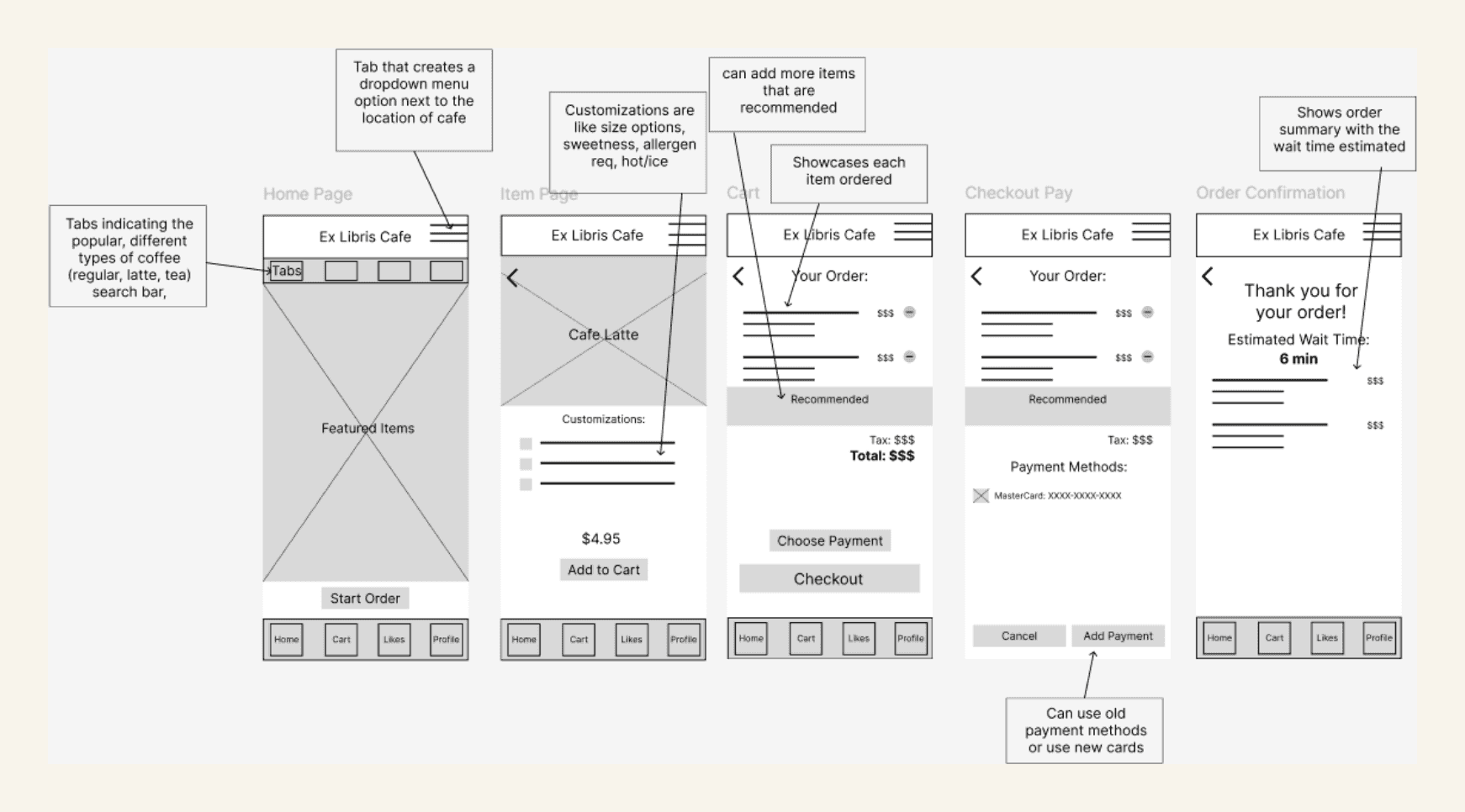
Then I kept what other coffee apps got right (customization, profiles and recommendations) and made wait time the center of everything, since time is why students skip the line.
the map is the real campus: e 56th, the main quad, the midway. each cafe pin shows its wait, and the card points out the shortest line.

drink sizes are in ml (250, 350, 450), so nobody has to guess what “tall” means.
Final Design - Coffee on Your Walk
Pick a cafe, customize your drink, and the confirmation tells you where to pick it up and roughly when, so you can time your walk. The latest version moves the UI to iOS 26 liquid glass, keeping the espresso, latte and ember colors.