Designing a safer nighttime walking experience for college students
Problem - Unsafe & Stressful Night Navigation
Walking alone at night on campus is often anxiety-inducing, especially for students navigating unfamiliar or poorly lit areas. Existing navigation tools prioritize speed and efficiency, not personal safety, forcing students to rely on intuition, local knowledge, or avoidance behaviors.
Research - Safety Is Behavioral, Not Just Spatial
We conducted field observations, surveys, and interviews to understand real behaviors and pain points.
Safety is not just about location—it’s about
perception,context, andreal-time reassurance.
Ideation - From Exploration to System Design
We explored three core design directions:
Map-based safety navigation app
Chrome extension + SMS navigation
Voice-based “walk with me” companion
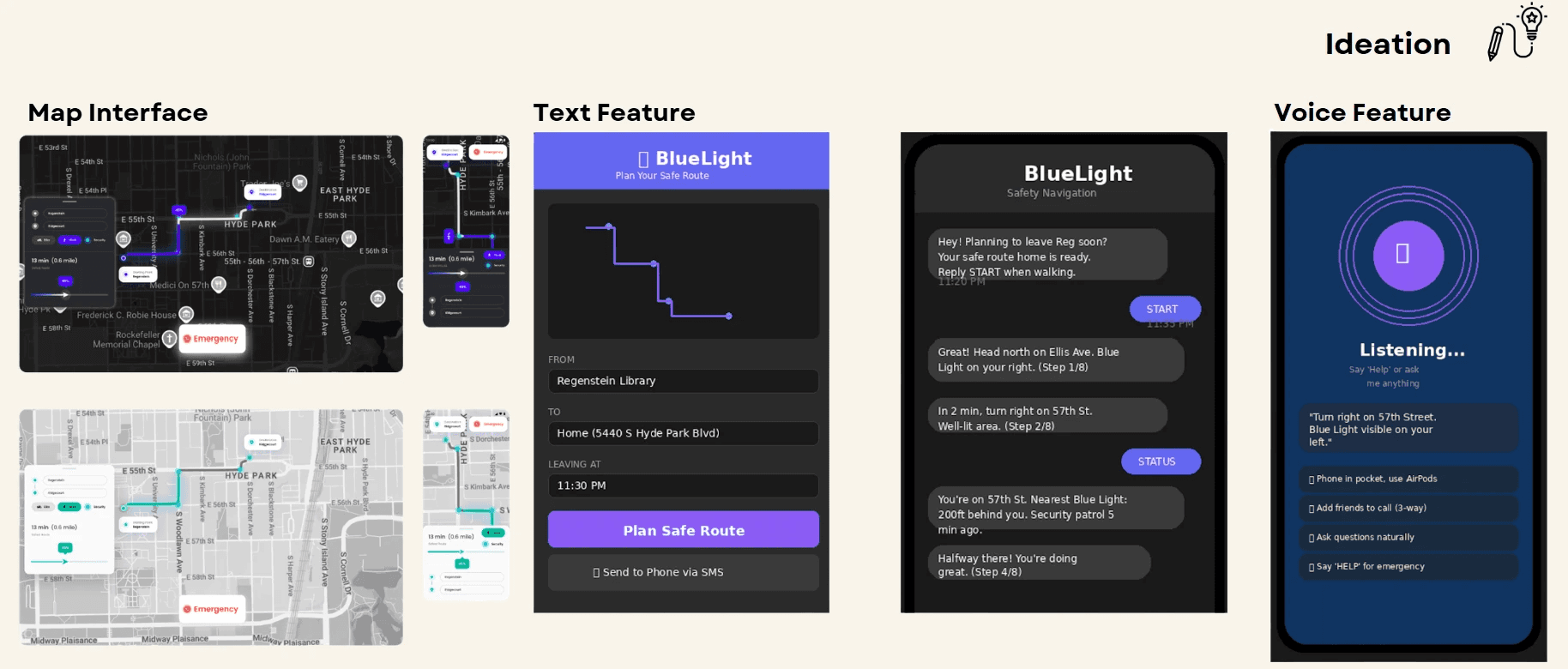
I decided to design an application that redefines navigation around safety, highlighting blue-light assets visually, while mapping out routes for students.
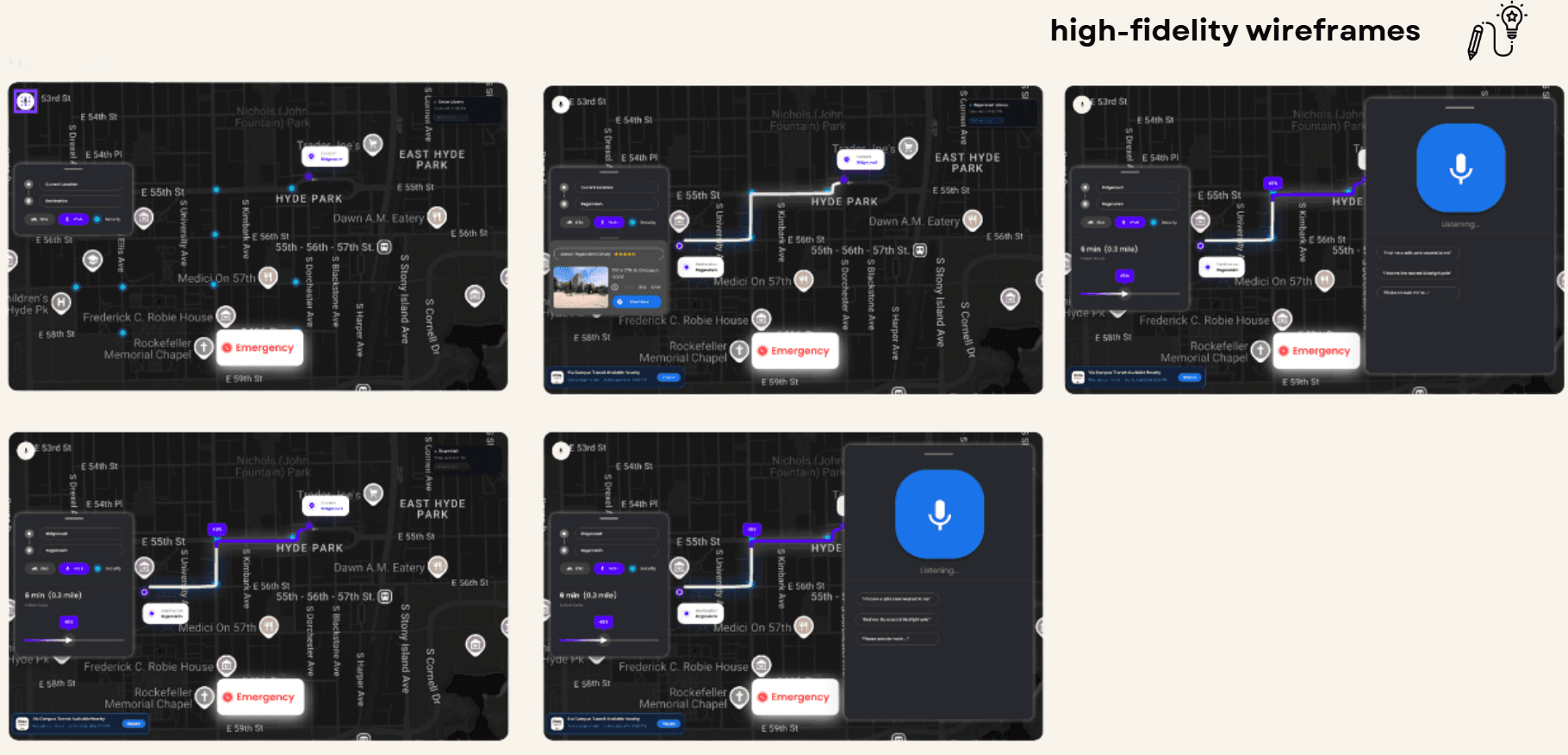
Solution - A Safety-First Navigation Experience
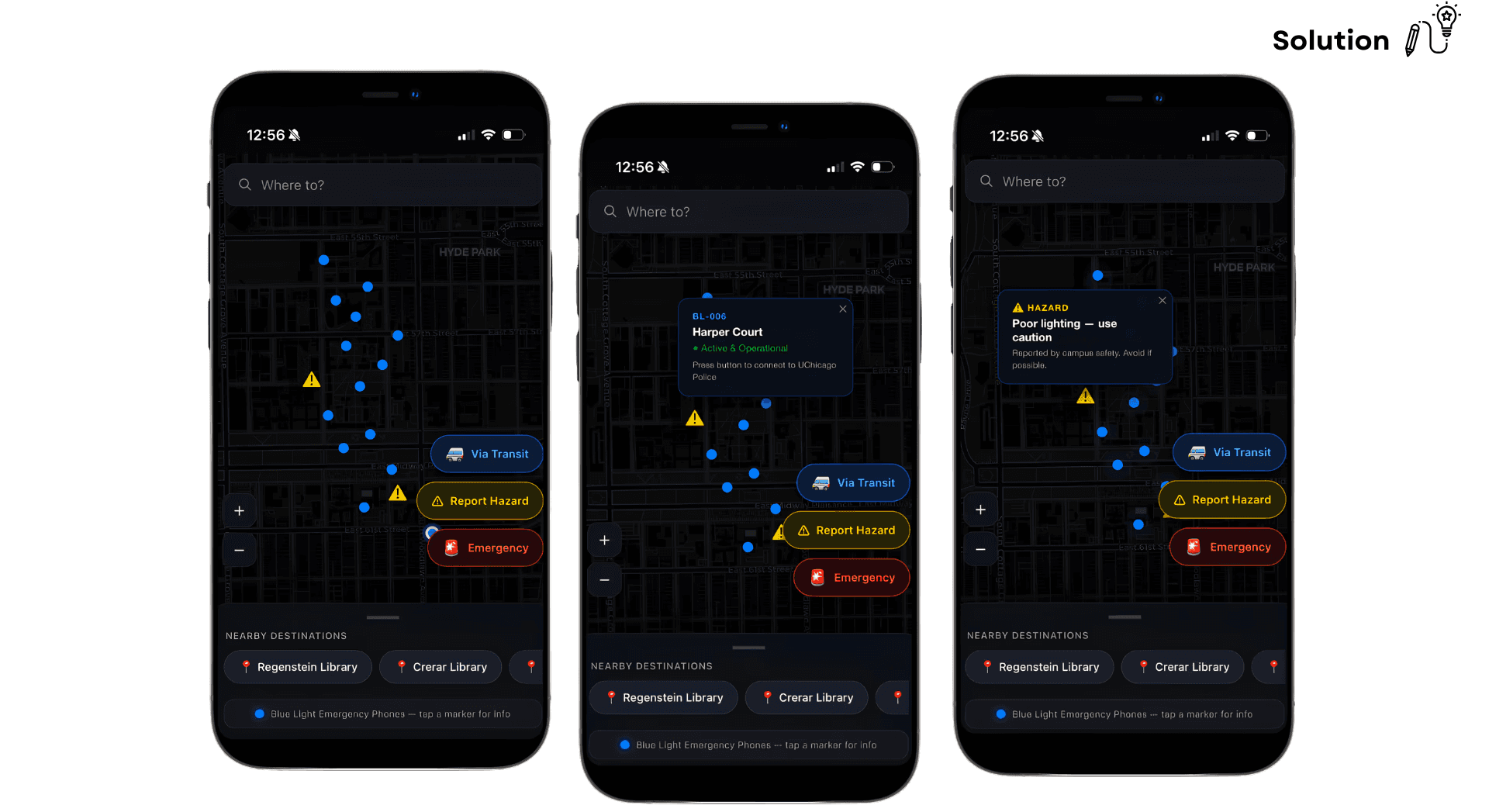
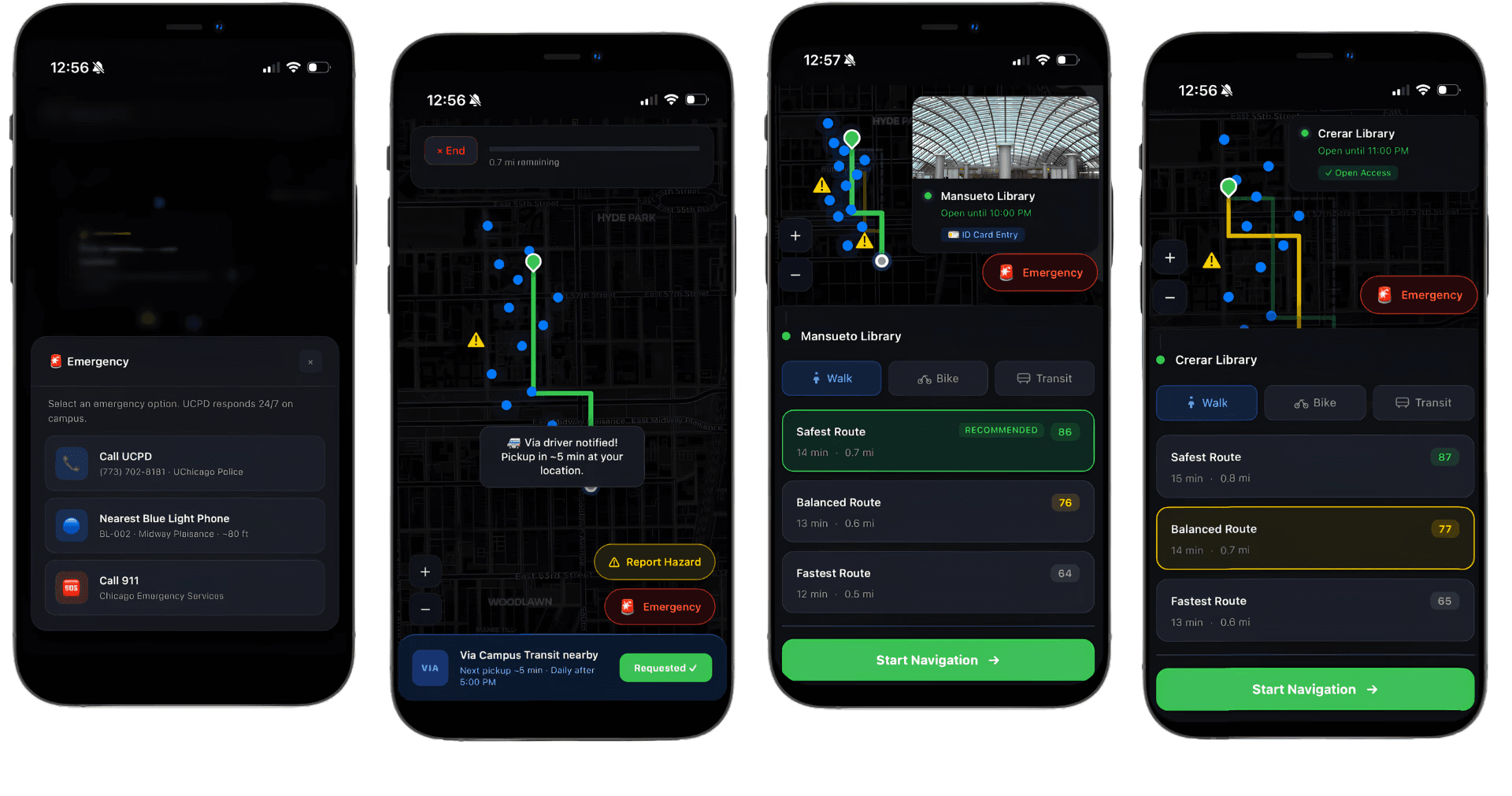
Our final design circulated around self-explanatory and visual safety features such as:
Safety-Optimized Routing (safety scores)
Routes prioritize Blue Lights, well-lit streets, and active areasLive Safety Map
Real-time visibility of safety infrastructure (Blue Lights, open buildings, patrols)Emergency-First Design
One-tap emergency access with immediate actionVoice Assistance Mode
Hands-free navigation to maintain situational awarenessSafe Zones & Building Access
Displays open buildings and accessible safe spaces
User-Centric Design - Built for High-Stress Contexts
Designed with a user-centered approach, the system prioritizes simplicity, real-time clarity, and minimal interaction to support safe decision-making in high-stress nighttime navigation contexts.
Designing a safer nighttime walking experience for college students
Problem - Unsafe & Stressful Night Navigation
Walking alone at night on campus is often anxiety-inducing, especially for students navigating unfamiliar or poorly lit areas. Existing navigation tools prioritize speed and efficiency, not personal safety, forcing students to rely on intuition, local knowledge, or avoidance behaviors.
Research - Safety Is Behavioral, Not Just Spatial
We conducted field observations, surveys, and interviews to understand real behaviors and pain points.
Safety is not just about location—it’s about
perception,context, andreal-time reassurance.
Ideation - From Exploration to System Design
We explored three core design directions:
Map-based safety navigation app
Chrome extension + SMS navigation
Voice-based “walk with me” companion
I decided to design an application that redefines navigation around safety, highlighting blue-light assets visually, while mapping out routes for students.
Solution - A Safety-First Navigation Experience
Our final design circulated around self-explanatory and visual safety features such as:
Safety-Optimized Routing (safety scores)
Routes prioritize Blue Lights, well-lit streets, and active areasLive Safety Map
Real-time visibility of safety infrastructure (Blue Lights, open buildings, patrols)Emergency-First Design
One-tap emergency access with immediate actionVoice Assistance Mode
Hands-free navigation to maintain situational awarenessSafe Zones & Building Access
Displays open buildings and accessible safe spaces
User-Centric Design - Built for High-Stress Contexts
Designed with a user-centered approach, the system prioritizes simplicity, real-time clarity, and minimal interaction to support safe decision-making in high-stress nighttime navigation contexts.

More work.